
Most people have no idea what to do after signing a wallet-draining transaction.
The first few minutes after you sign are critical and what you need to do depends on what you signed. This guide will prepare you in case of a mishap to maximize the chances of saving your assets. Before we start, remember two things:
A) The nuclear option is to
- Create a new wallet (with a new seedphrase).
- Move everything you own to that new wallet ASAP.
This is the safest option if you're unsure of what happened
B) After your assets leave your wallet, they're gone forever.
Don't believe spam messages saying they can recover your assets. They're all scams.
So what do you do if you've signed something malicious? Can anything be done? In times of severe stress, you are only as good as your training. Understand these types of signatures is a first step. We also go over the signature “categories” in our Safe Signing 101 article, but this gives us a closer look at the specific signatures being used in the wild.
Token Approvals
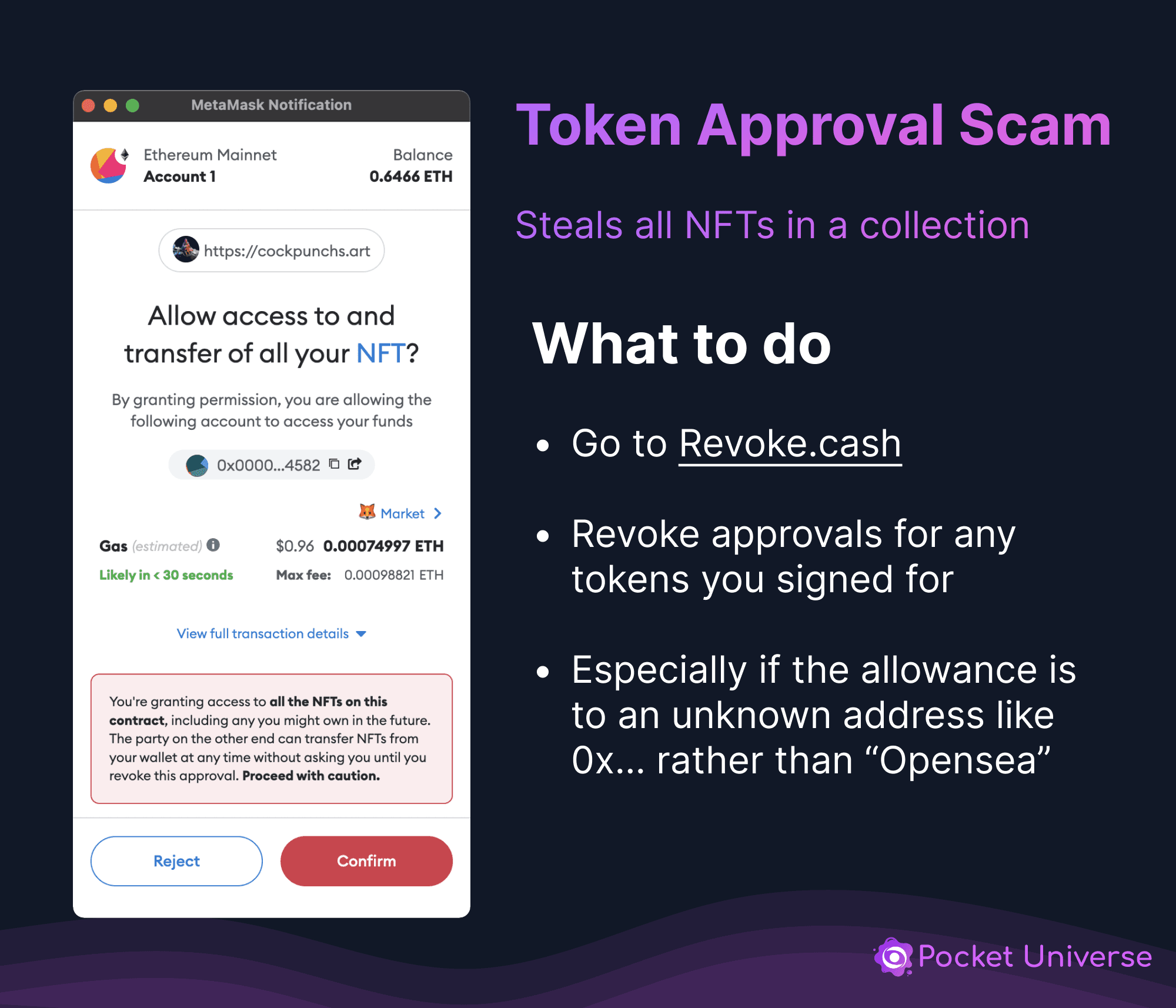
Detailed guide here: /articles/revoke-your-allowances
Seaport Signature
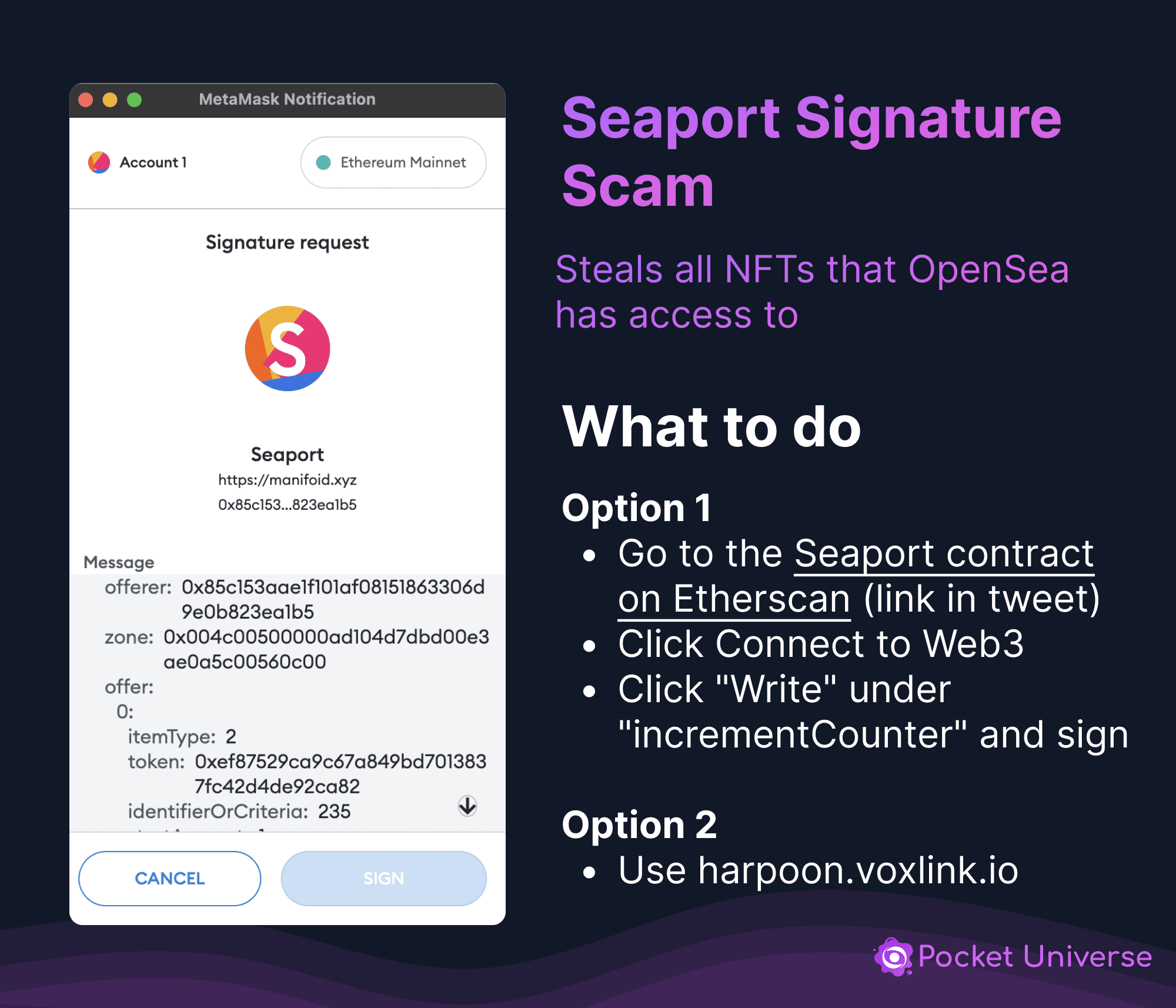
Detailed guide here: /articles/invalidate-signatures-on-marketplaces
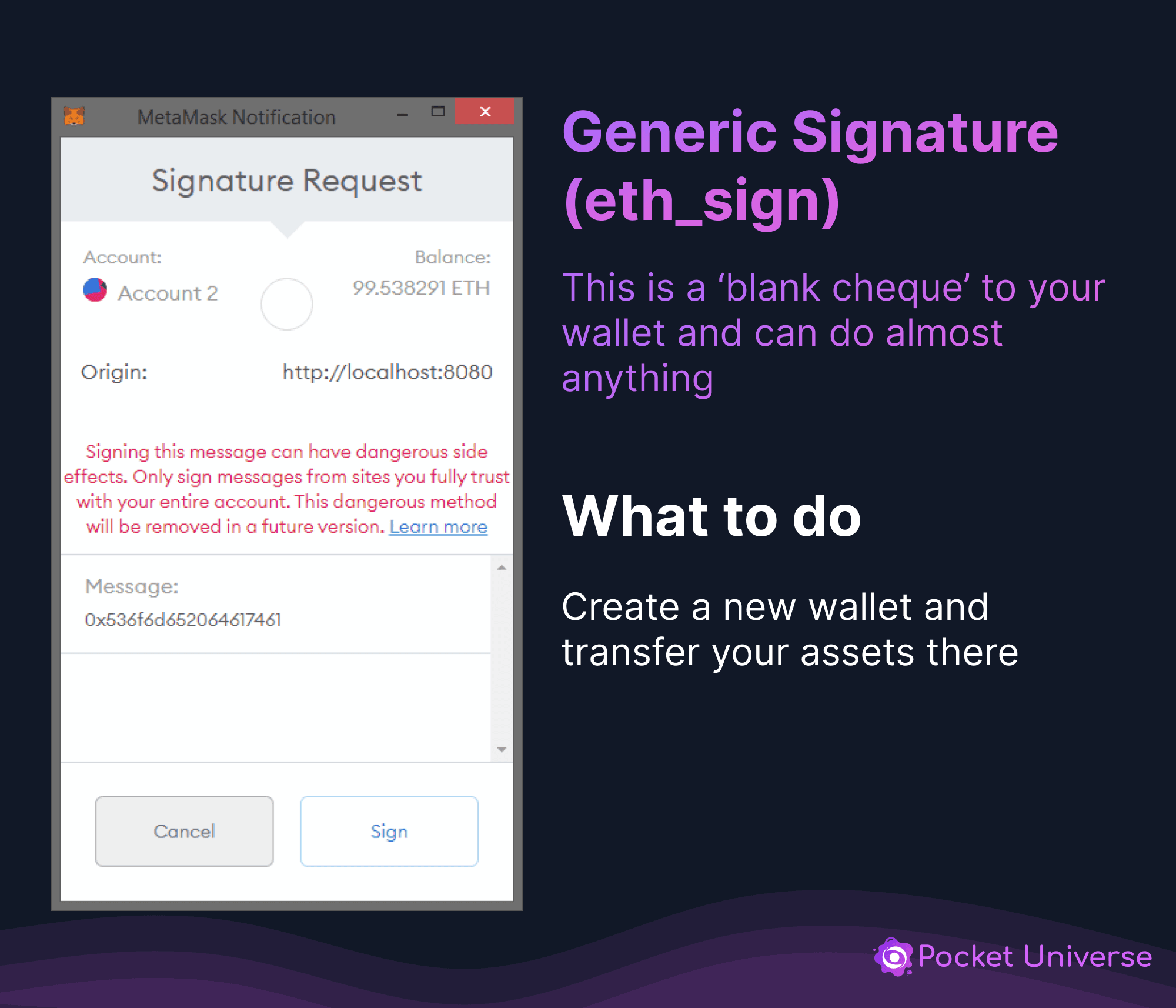
Generic, Eth_sign signature
Eth_sign signatures are quite dangerous. Behind this blank cheque could be any of the other scams you see here.
One thing to keep in mind is that they can only do one of these for each time you signed it.
So either
- Quickly do one transaction (e.g. revoke an approval) which will increment your wallet's nonce (like a counter) and invalidate whatever the scammer wants to do and/or
- Move your assets to a new wallet
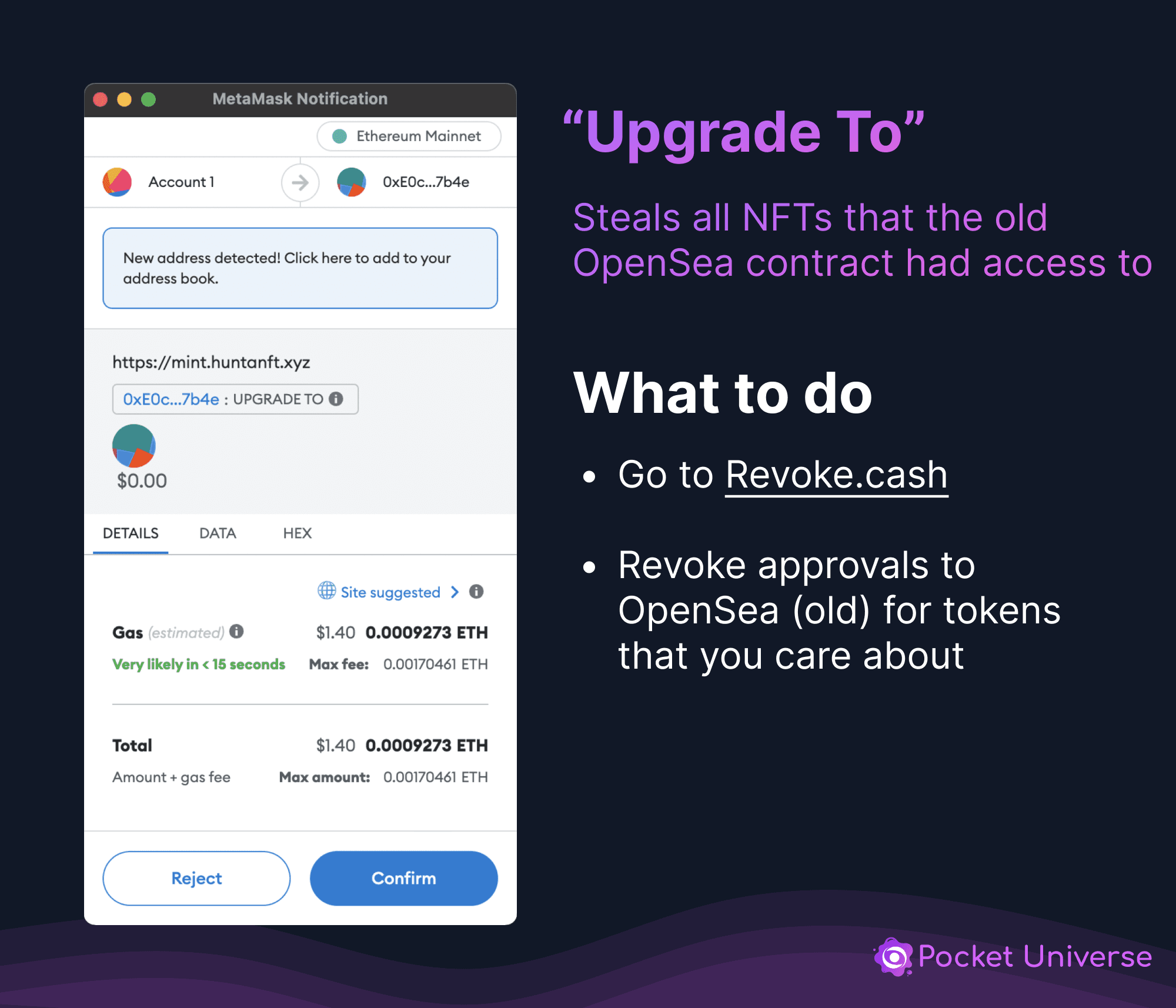
“Upgrade To”
This scam uses approvals given to the old (and now unused) OpenSea contract. You should revoke approvals to this contract to be safe!
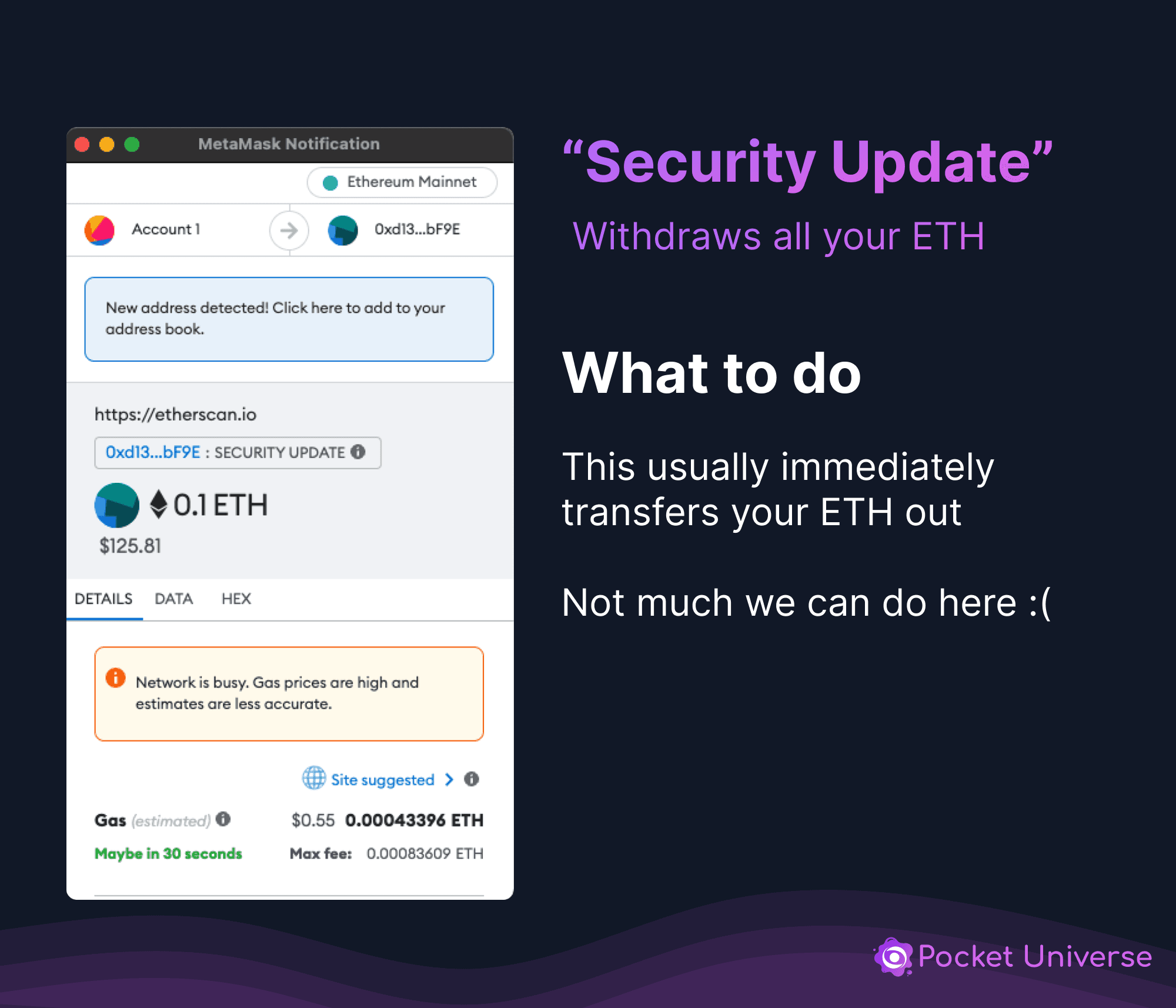
“Security Update”
I didn't sign anything!
You seedphrase may be compromised. This means that you may be using a software wallet or have saved your seed phrase insecurely (like on your desktop or in your e-mail/cloud storage). You need to immediately:
- Create a new wallet (with a new seedphrase)
- Move everything to that new wallet
If you downloaded anything - like a fake P2E game - then please do this on a safe device!
Want to increase your odds of avoiding these types of scams in the future?
- Educate yourself on the types of scams out there (e.g. by following BoringSec closely) and/or
- Check out some security browser extensions like Stelo, Wallet Guard, RevokeCash and what we've built at Pocket Universe!
Have any questions or want to learn more about web3 security and stay up to date on the most current security information, scams, and tactics? Join us in our discord at https://discord.gg/boringsecurity .